Here's a quick list of desktop shortcut that can help you boost productivity.
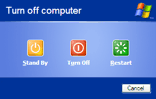 Shut Down, Log Off or Restart Windows in 1-Click
Right-click anywhere on the desktop and choose New->Shortcut. Now type the following command in the target box (without the square brackets)
%SystemRoot%\system32\shutdown.exe -s -t 00 [to shut down]
%SystemRoot%\system32\shutdown.exe -r [to reboot]
%SystemRoot%\system32\shutdown.exe -l [to log off]
Click Next and type a name of this shortcut. [more here]
 Create a pre-addressed e-mail message from the desktop
If you frequently send email to abc@xyz.com or even multiple people, you can create a desktop shortcut that will launch a compose message window in your default email editor (like Outlook, Thunderbird, GMail, etc).
Just type the following command in the target box from New->Shortcut as explained previously:
mailto:bill.gates@microsoft.com [create a new e-mail message that is pre-addressed to Bill Gates]
mailto:bill.gates@microsoft.com;sjobs@mac.com [create a new e-mail message that is pre-addressed to Bill Gates as well as Steve Jobs]
 Start Microsoft Office Programs without the Splash Screen
You can suppress the splash screens of Microsoft Office software like Word, Excel, Powerpoint, etc with a simple trick - append a /q switch in the application shortcut.
"D:\Program Files\Microsoft Office 2007\Office12\WINWORD.EXE" /qThe above example will start Microsoft Word in quiet mode.
Send an Instant Message or Make a Call via GTalk
 When you have a long list of contacts in Google Talk, this will come in very handy. Create a shortcut on your desktop for gtalk buddies with whom you frequently chat or call as mentioned below:
 gtalk:chat?jid=abc@gmail.com (starts a chat)
gtalk:call?jid=abc@gmail.com (starts a call)
Click on the desktop shortcut and a message window pops-up for you to type the message , no need to hunt for that name in your long GTalk buddy list. [via]
Start Skype in Minimized mode
Select an existing Skype shortcut menu or create a new one using the same method New -> Shortcut and browse for skype.exe. Add the /minimized switch.
skype.exe /minimized
Skype is minimized to system tray when it starts.
 Launch Firefox with Multiple Websites
Say you want to check gmail, Adsense earnings, orkut scraps in one go.
Just create a desktop shortcut with the following text in the target box.
firefox.exe "gmail.com|adsense.google.com|orkut.com"
[Alternatively, you can add these URLs to the Firefox home-page list in the settings window]
